EN
EN UA
UA



 Login
Login 



Employees and employee access profiles
 09.12.2024
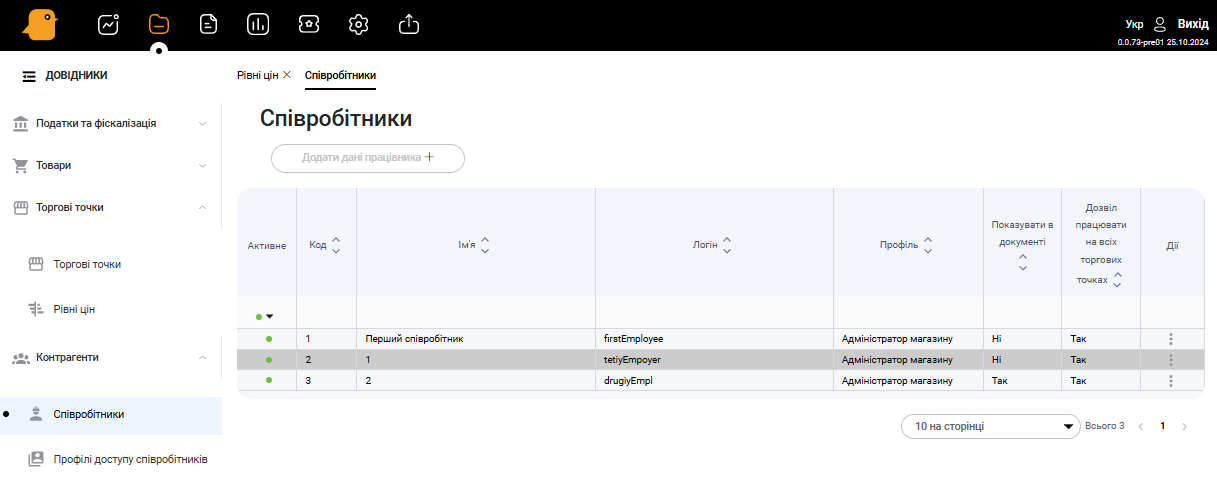
This Employee Directory is a list of users who will work at the cash desks.
1. Adding a new employee
To add a new employee, you need to:
-
- Go to Directories-Counterparties-Employees and click the Add Employee Data+ button
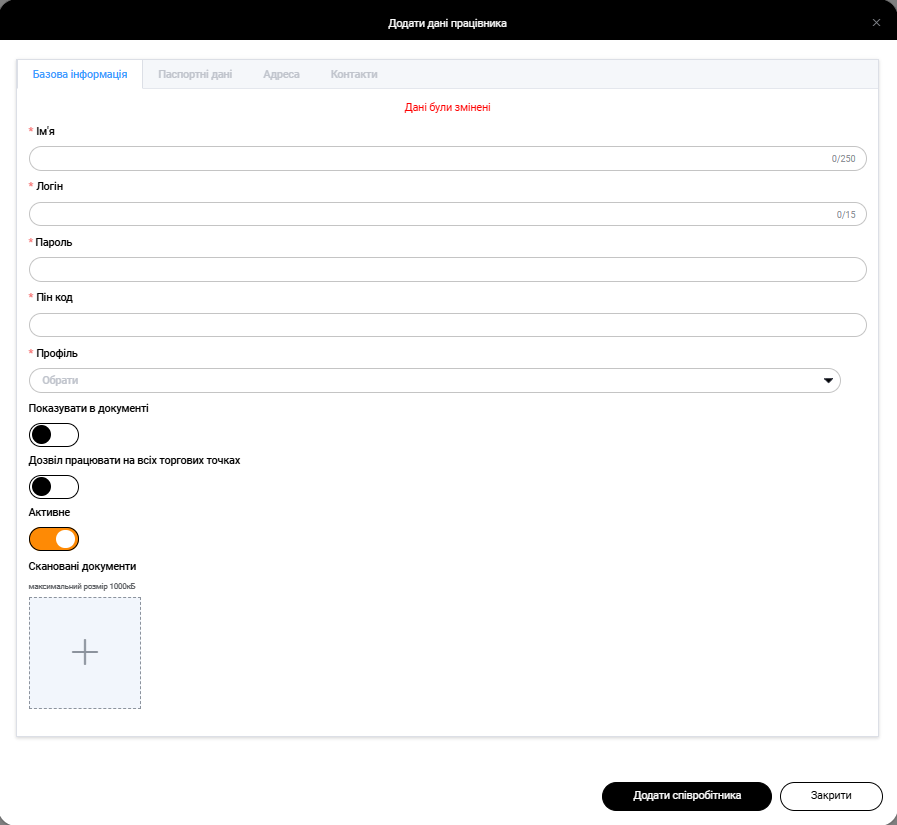
- Fill in the form fields:
-
- Name
-
- Login
-
- Password
-
- Pin code
-
- Profile
-
- Show in document
-
- Permission to work at all points
-
- Active
-
- Scanned documents
-
- Click the Add Employee button
2. Editing an employee profile
After creating an employee profile, you can edit it. To do this, go to Directories-Counterparties-Employees, and click on the Three dots next to the employee’s profile and click Edit
When editing an employee’s profile, you can edit the following data:
-
- Basic information
-
- Name
-
- Login
-
- Password
-
- Pin code
-
- Profile
-
- Show in document
-
- Permission to work at all points
-
- Active
-
- Scanned documents
-
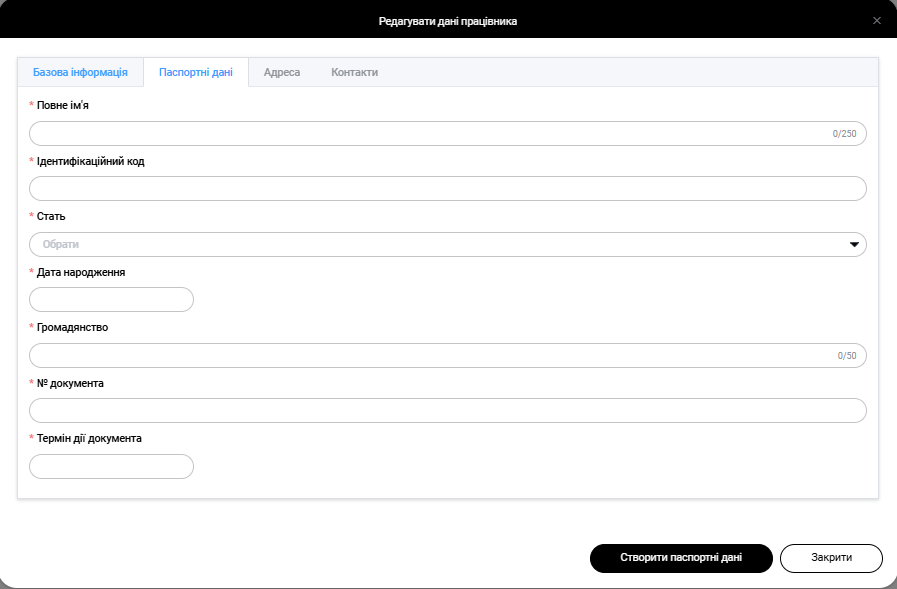
- Passport data:
- Full name
- Identification code
- Sex
- Date of birth
- Nationality
- Document number
- Document validity
- Basic information
After filling in the mandatory fields (marked with a * symbol), click the Create passport data button.
-
- Address:
In this section, you can add employees’ addresses. To do this, click the Create address button and fill in the fields:- Address type (Registration, Actual)
- Country
- Region
- City
- Street
- House
- Apartment
- Address:
After filling in the mandatory fields (marked with a * symbol), click the Create button.

-
- Contacts
In this section, you can add employee contacts. To do this, click the Create contact button, fill in the Contact field and click the Create button
3. Employee access profiles
In this section, you can create access profiles, configure rights for employees at the cashier’s workplace
The section is under development