EN
EN UA
UA



 Login
Login 

Neighborhood convenience store: trends, advantages, and the secrets of automation


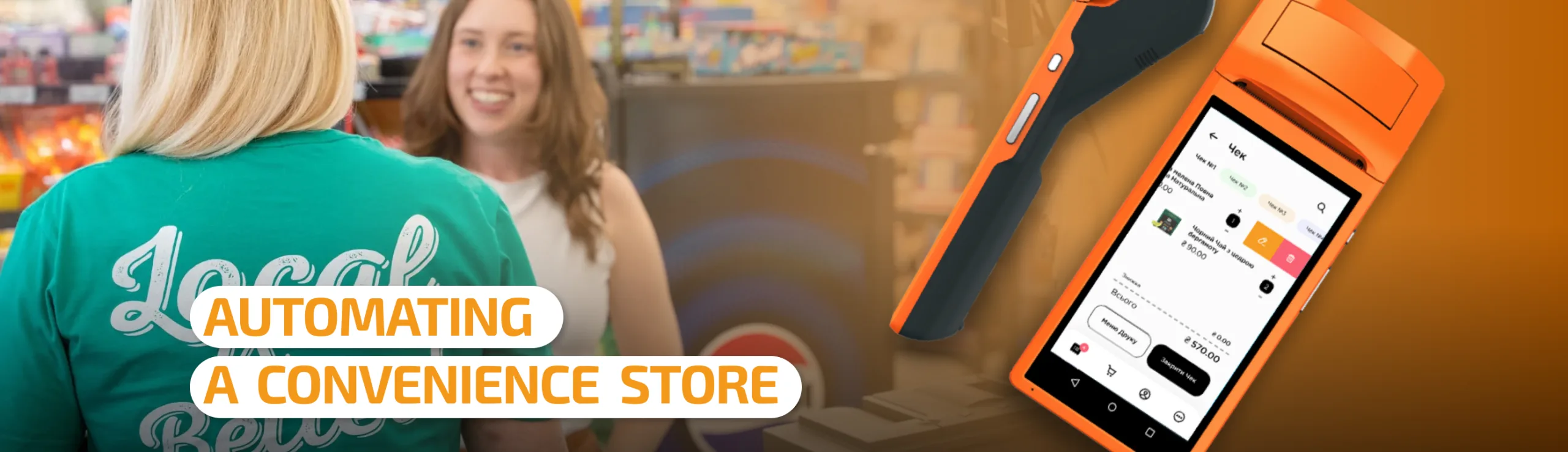
Today, the convenience store format is one of the most resilient and dynamic segments of retail. Modern shoppers increasingly avoid spending their weekends traveling to large hypermarkets, preferring quick, convenient, and frequent purchases close to home.
For an entrepreneur, opening a local mini-market is a stable business with steady demand. However, high competition and the risk of product write-offs require clear process organization. In this article, we’ll break down the features of the format, the steps to launching a neighborhood store, and show how modern technology and POS systems help turn a small retail outlet into a highly profitable chain.
1. Key advantages and features of the format
A neighborhood convenience store isn’t just a mini-market — it’s a point of convenience for the residents of a specific building or block.
- Loyal core customer base: your main customers are your neighbors. With quality service and a fresh assortment, they’ll come back every day.
- Resilience to economic fluctuations: basic food products and everyday necessities are always purchased, regardless of the overall economic situation.
- Lower entry threshold: compared to a large supermarket, opening a 30–80 m² space requires significantly less investment in rent, equipment, and initial inventory.
- Assortment flexibility: you can quickly adapt your product matrix to local residents’ needs — adding local baked goods, coffee to go, or pet supplies.
2. How to open a neighborhood store: 5 key steps
Step 1. Choosing the right location
Location determines up to 80% of a store’s success. Look for premises in densely populated residential areas, new developments, or along daily foot-traffic routes (from transit or metro stops to residential complexes). Evaluate traffic at different times of day and avoid being right next to major chain discounters.
Step 2. Building the product matrix
The assortment should meet both spontaneous and everyday needs:
- Basic basket: bread and bakery products, dairy, eggs, groceries, beverages, fresh vegetables and fruit.
- High-margin categories: coffee to go, fresh pastries, ready-to-eat meals, breakfast items, snacks. These significantly boost the average check and the store’s margin.
- Related goods: household chemicals, hygiene products, pet supplies.
Step 3. Planning the space and equipment
Even in 40 m², it’s important to create easy navigation. Equip the premises with quality wall and island shelving, refrigerated cases for dairy products, a checkout area, and weighing equipment. The checkout zone should be as ergonomic as possible for fast service.
Step 4. Legal requirements and fiscal software
To trade legally, you need to register a business (sole proprietor or LLC), choose an appropriate tax system, and obtain permits (including compliance with sanitary standards and the requirements of the consumer protection authority). Using software-based fiscal cash register software (PRRO) to issue fiscal receipts is mandatory.
Step 5. Setting up an accounting system
Trying to keep records in a notebook or Excel spreadsheets leads to losses in modern retail. Controlling stock, cash transactions, and analytics requires a modern cloud-based automation system.
3. Pitfalls and risks of local retail
Without proper controls, small store owners often run into typical problems:
- Write-offs and expired goods: food products have a limited shelf life. Without clear tracking of sell-by dates, direct financial losses follow.
- Mis-sorting and shortages: uncontrolled movement of goods creates conditions for receiving errors and even cash-register abuse by staff.
- Lines during peak hours: the largest customer flow falls in the morning (7:30–9:30) and evening (17:30–20:30). A slow checkout drives customers to nearby stores.
4. Automating a neighborhood store with Paykit POS
To avoid these risks and make the business manageable and profitable, it’s worth using a specialized cloud POS system from day one. Paykit POS was created specifically to solve retail’s everyday tasks.
Fast checkout sales without delays
- Equipment versatility: Paykit runs on Android smartphones, tablets, smart terminals, and specialized POS all-in-ones.
- Convenient checkout interface: search for products by barcode, item number, or quick on-screen buttons.
- Peripheral connectivity: easy connection of barcode scanners, retail scales, and card payment terminals.
- Built-in fiscal software: instant receipt registration with the tax authority and the ability to send e-receipts to customers via SMS or messengers.
Full control over stock levels
- Real-time inventory accounting: every sale immediately deducts the item from stock. You always know your exact stock levels.
- Inventory checks without stopping operations: run partial or full stock checks using a regular smartphone with a scanner.
- Low-stock alerts: the system reminds you when it’s time to reorder from a supplier to avoid running out of best-sellers.
Standalone operation and protection from outages
Power outages or internet disruptions no longer stop sales. Paykit POS supports offline mode: the cashier keeps processing receipts, and once the connection is restored, all data syncs automatically to the cloud.
Analytics for decision-making
The owner can see the state of the business from anywhere in the world through a convenient personal dashboard:
- Top-selling items and items that are stagnating.
- Revenue trends, average check, and margin over any period.
- Peak-hour charts to optimize cashier scheduling.
Conclusion
The neighborhood convenience store format remains one of the most promising directions in retail. This business's success rests on three elements: a well-chosen location, an in-demand assortment, and transparent, automated accounting. By implementing Paykit POS, you gain full control over your inventory, speed up customer checkout, and protect your business from losses. Want to Automate Your Neighborhood Store? Try Paykit POS in action today. Submit a request for a free trial or get a personal consultation on choosing equipment and setting up the system for your business!