EN
 RU


 Увійти


Price levels
 09.12.2024
A single product can have different price levels. This depends on whether it is being sold or purchased, at which sales point the sale is made, whether loyalty programs apply to it, and so on. To meet all the conditions, it is necessary to create general price levels. For example, price levels can be purchase, retail, discount, wholesale, small wholesale, etc.The price level is tied to the sales point.If there is a need to sell goods at different prices at different points, it is necessary to establish a separate price level for each point (or group the points by price level, i.e. TT group ‘Shops’ = price level ‘Retail for shops’, TT group ‘Kiosks’ = price level ‘Retail for kiosks’ etc.) The procedure for creating price levels is as follows:
-
- Go to the section Directories – Price levels and click on the button Create price level +

-
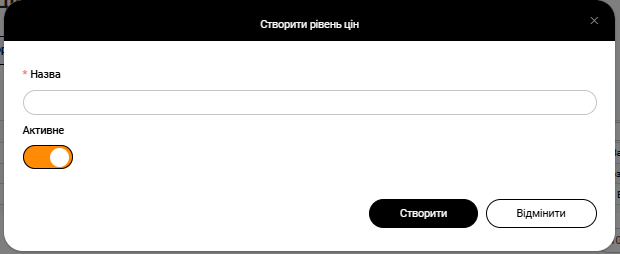
- In the window that appears, enter the name of the price level (retail, purchase, wholesale, etc.) and click the Create button.