EN
 RU


 Увійти


Return to supplier
 11.12.2024
Return invoices are created on the same principle as incoming invoices. Their difference is that return invoices are documents that show information about the return of goods that were carried out by various trading points in a certain quantity, to certain suppliers and at a specified time.
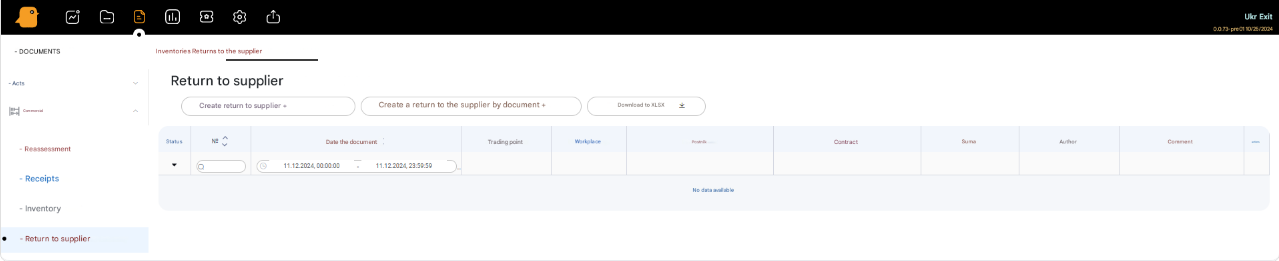
To create a new Return Invoice to the supplier, press the Create Return to Supplier + button, in the window fill in the lines:
- Document number (filled in automatically)
- Document date
- Trading point
- Workplace
- Supplier
- Contract
- Delivery document
- Comment
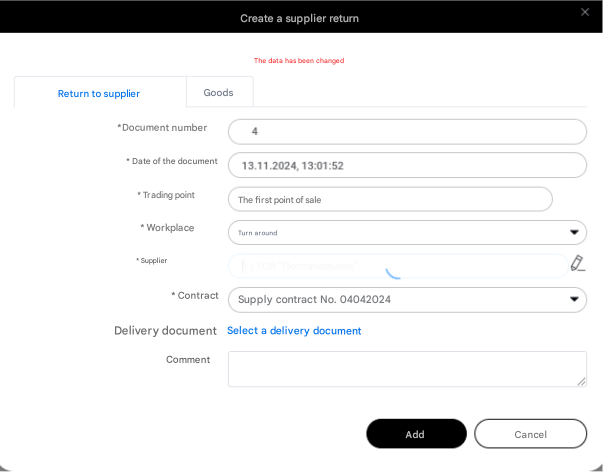
After filling in the mandatory fields (marked with the symbol *), press the Add button. Then a list of products will appear, from which you need to fill in the invoice. Select the products one by one and add them to the document.The products are selected by clicking on the product name, after which a window will open – a product card, which also needs to be filled in (the product name will be set by default in the product card): specify the quantity, price, unit of measurement and press the Add button.
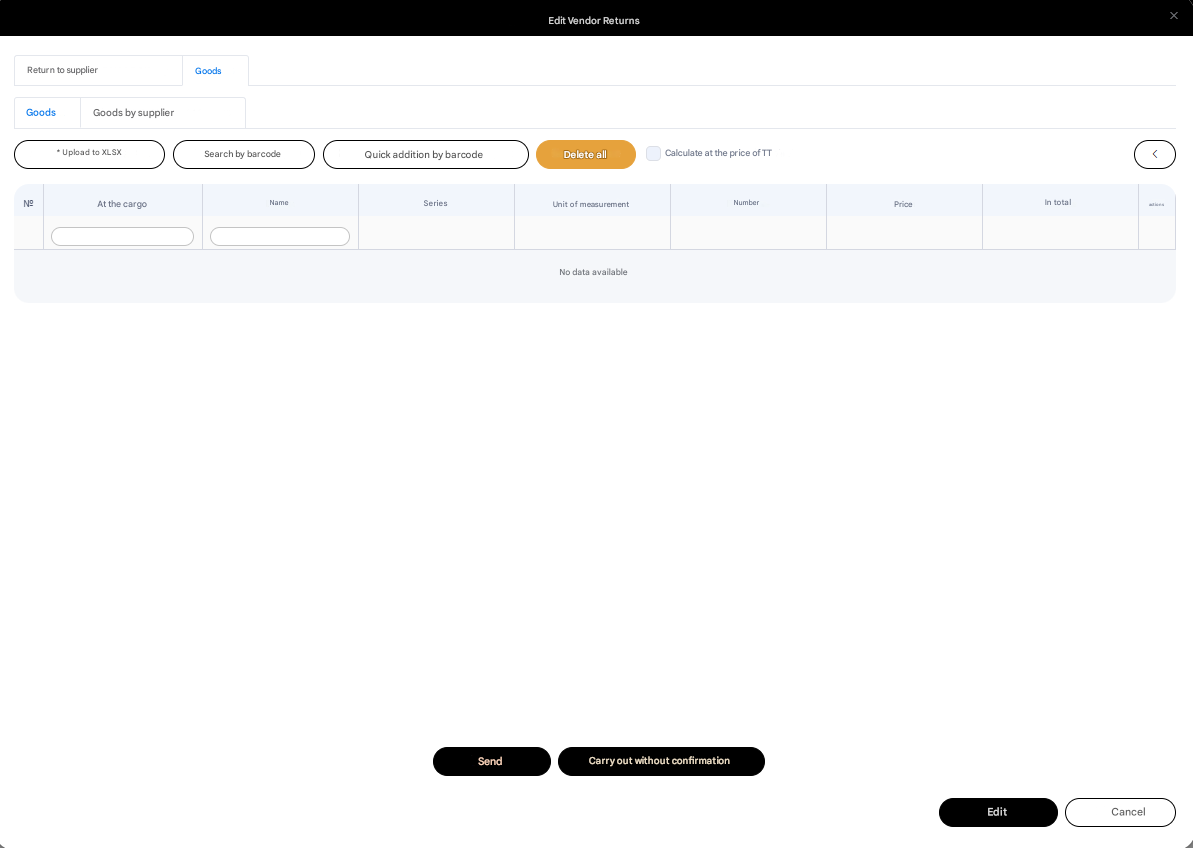
The product data can be changed. To do this, click on the three dots opposite the product and press the Edit button.When all the necessary actions have been performed, press the Send or Post without confirmation button.