

burger-menu
Your enquiry has been sent successfully
An error has occurred

Knowledge base

Sales accounting and fiscalization, operational business control.

Setting Up Fiscal/Non-Fiscal Mode in the PayKit App

calendar img 23.12.2025

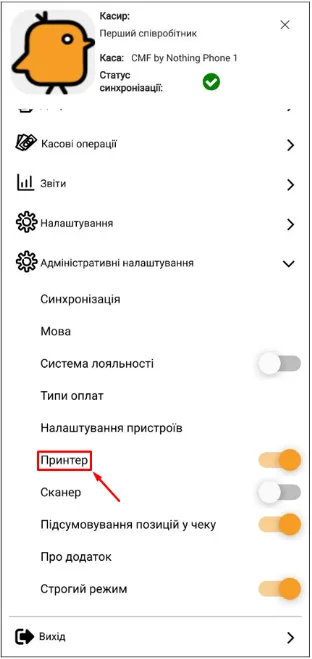
In the PayKit app, go to Administrative Settings and select the Printer section.
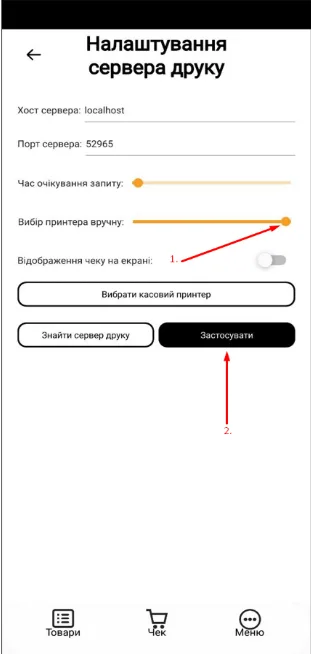
In the Print Server Settings, under the Select Printer Manually option, move the slider to the far right position and click the Apply button.
Request a free product presentation

PayKit – till, accounting and POS software in a POS terminal. It is a mobile cashier’s workstation on a mobile phone or tablet, not tied to a fixed location.

Request a presentation
Thank you! Your pre-order has been received
An error has occurred. Please try again or contact us directly.