EN
EN UA
UA



 Login
Login 

New tools, expanded capabilities: what the June PayKit update brought




Modern retail demands flexibility, speed, and accuracy in accounting—which is why the PayKit POS system is constantly being improved. In June 2025, a new version was released with a range of updates: from technical improvements to new reports and convenient tools for managing inventory. These changes are designed to make the work of cashiers, managers, and business owners even easier, and the data more intuitive. Below are the key new features worth noting.
Key Updates: What’s New?
1. Improvements in reporting and analytics
- Fiscal/non-fiscal logic: Transactions are now clearly separated in reports, which simplifies tax accounting. For example, you can filter data for fiscal receipts separately from internal goods transfers.
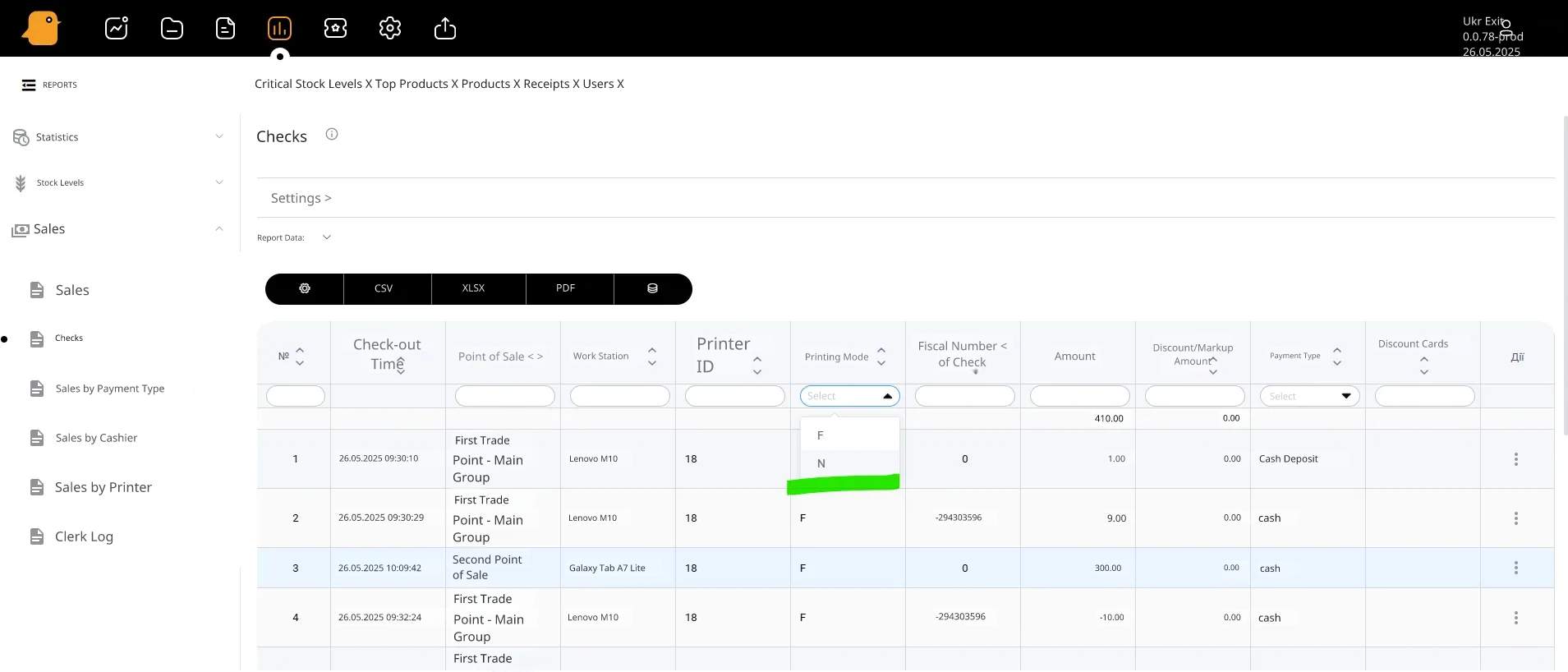
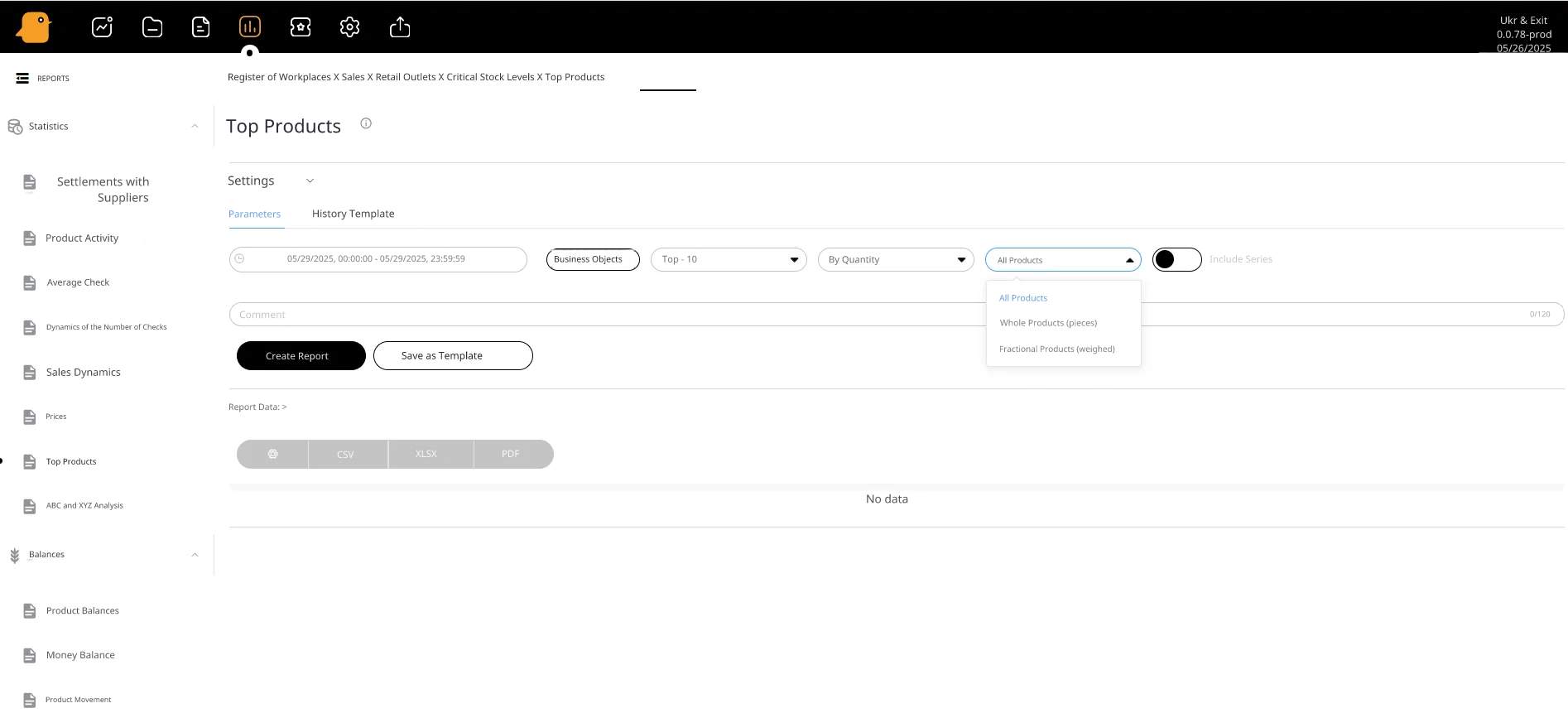
- Top Products: An interactive report is now available that allows you to analyze product popularity based on the following criteria:
– By sales volume — to identify the season’s bestsellers.
– By revenue — to identify the most profitable items.
– With filters — by retail location, product category, or time period.
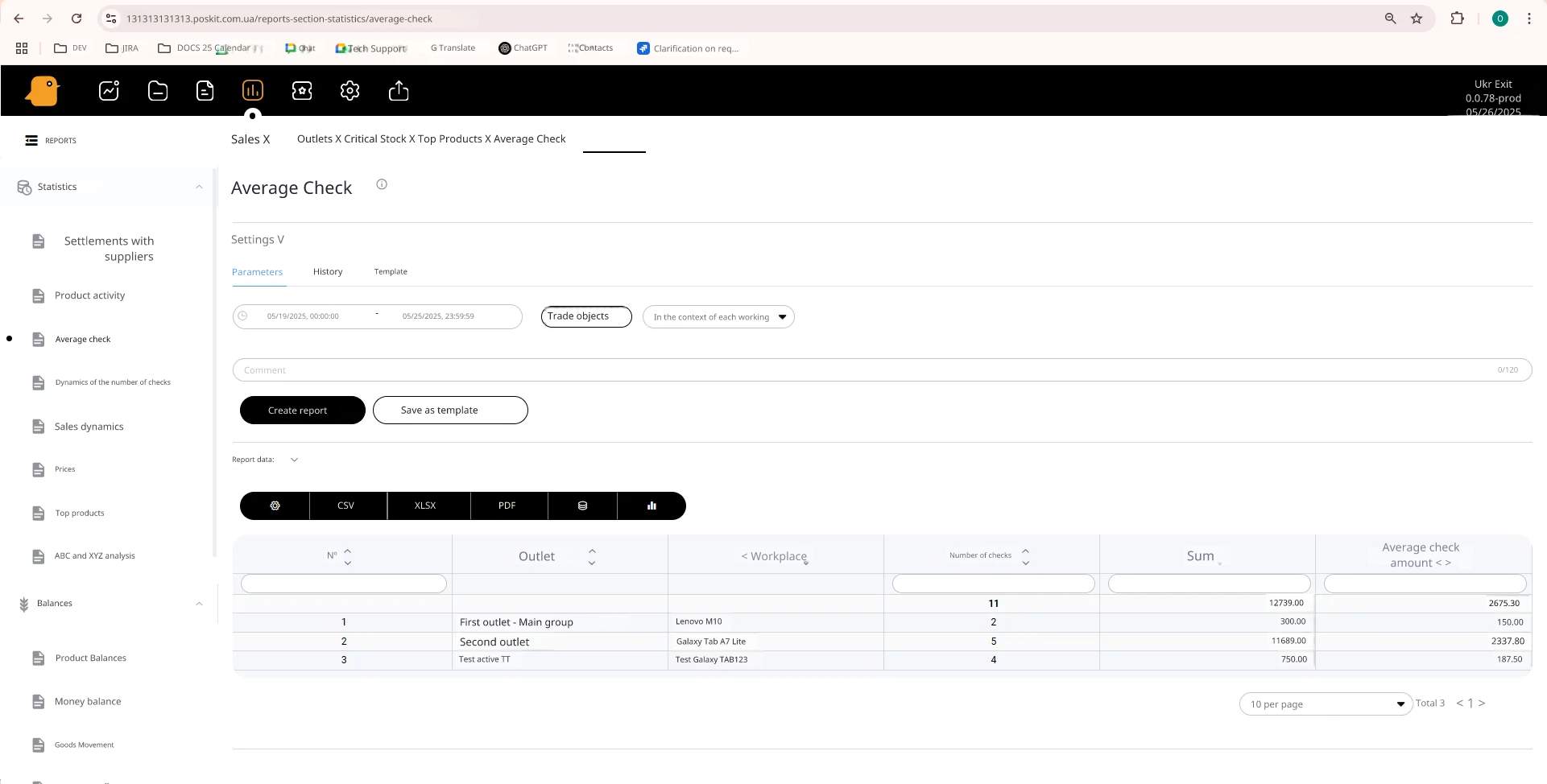
- Average check: automatic calculation of trends with the ability to compare them to previous periods.
- Update on “Critical Stock Levels”:
– Fixed the formula for calculating “Stock on Hand in Days.”
– Improved supplier filtering—added the ability to quickly filter products by specific suppliers.
– Added the “More/Less than n Days” feature—you can now filter products based on how long they’ve been in stock.
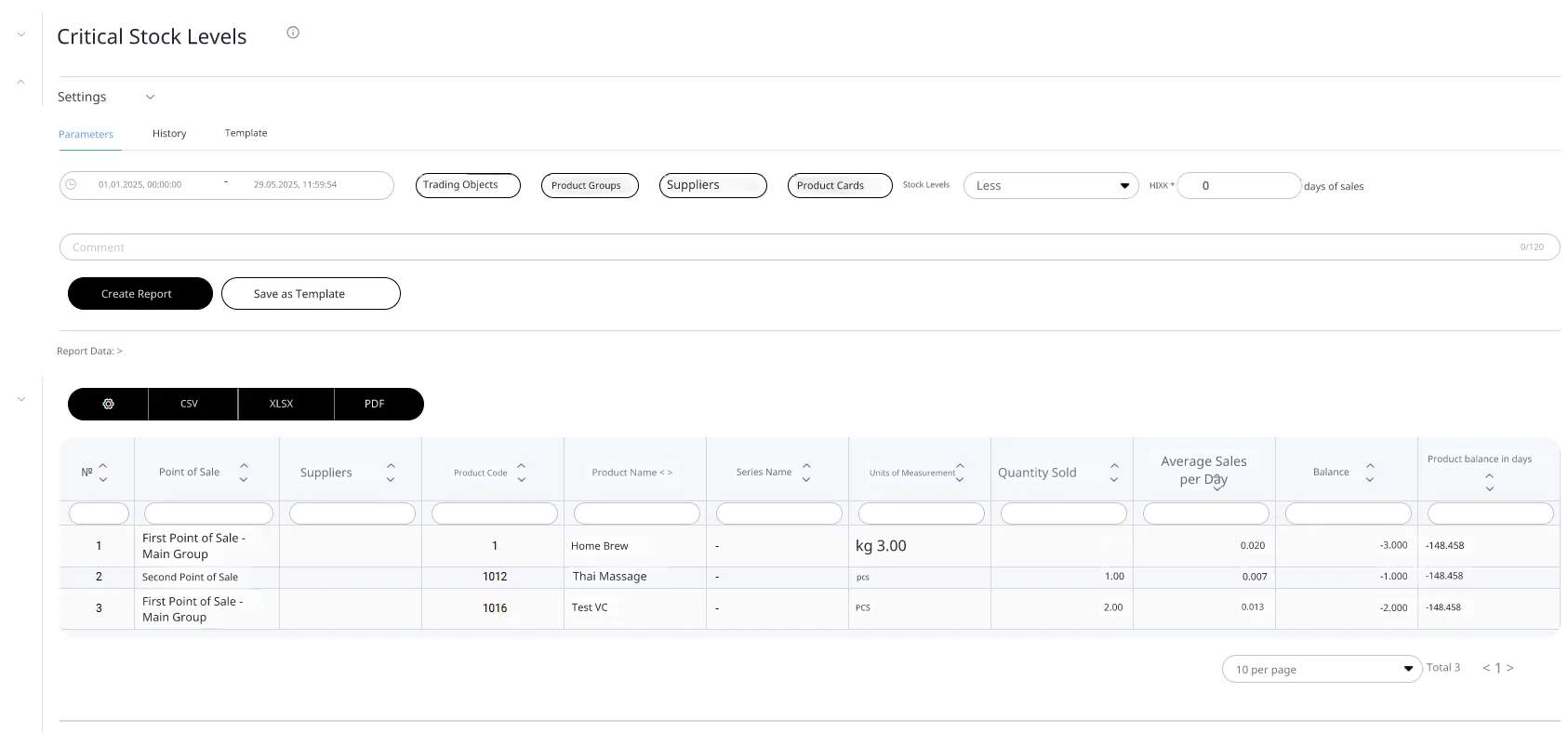
These updates provide greater control and accuracy in data analysis. Users can identify critical items more quickly, focus on the most profitable products, and plan purchases based on up-to-date information. Fiscal/non-fiscal logic simplifies tax reporting.
2. Optimizing document management
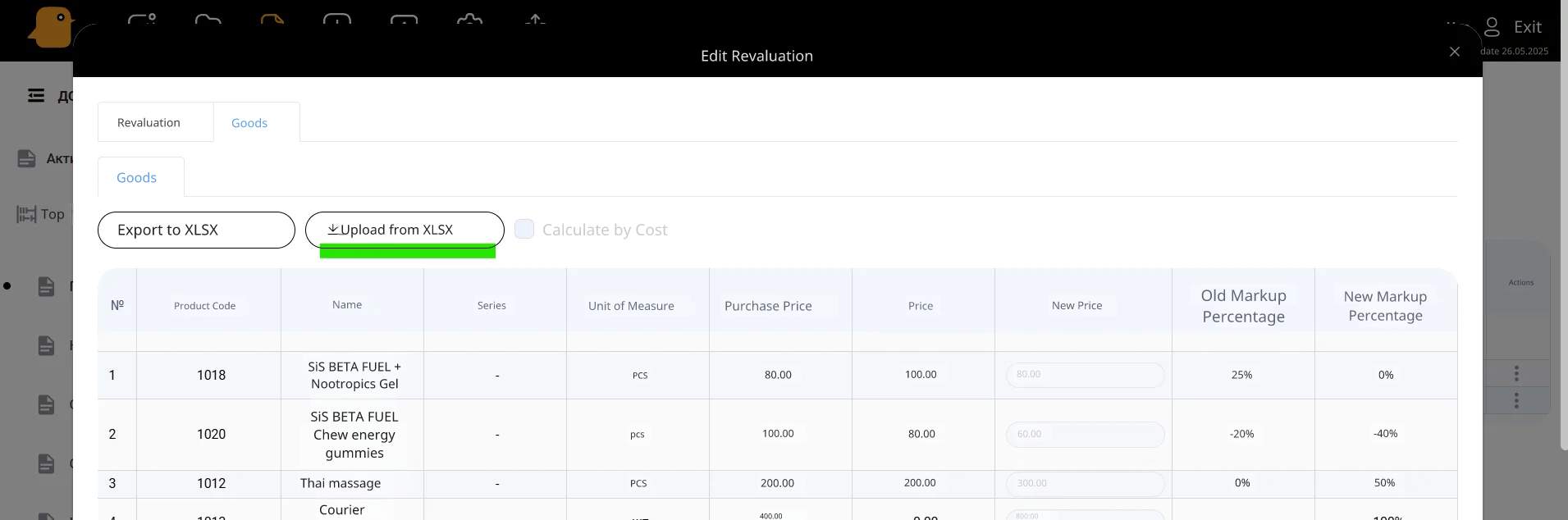
- Importing goods from XLSX: A template has been added for the “Revaluation” document, allowing you to update prices in bulk. This reduces the time required to make changes by 70% compared to manual entry.
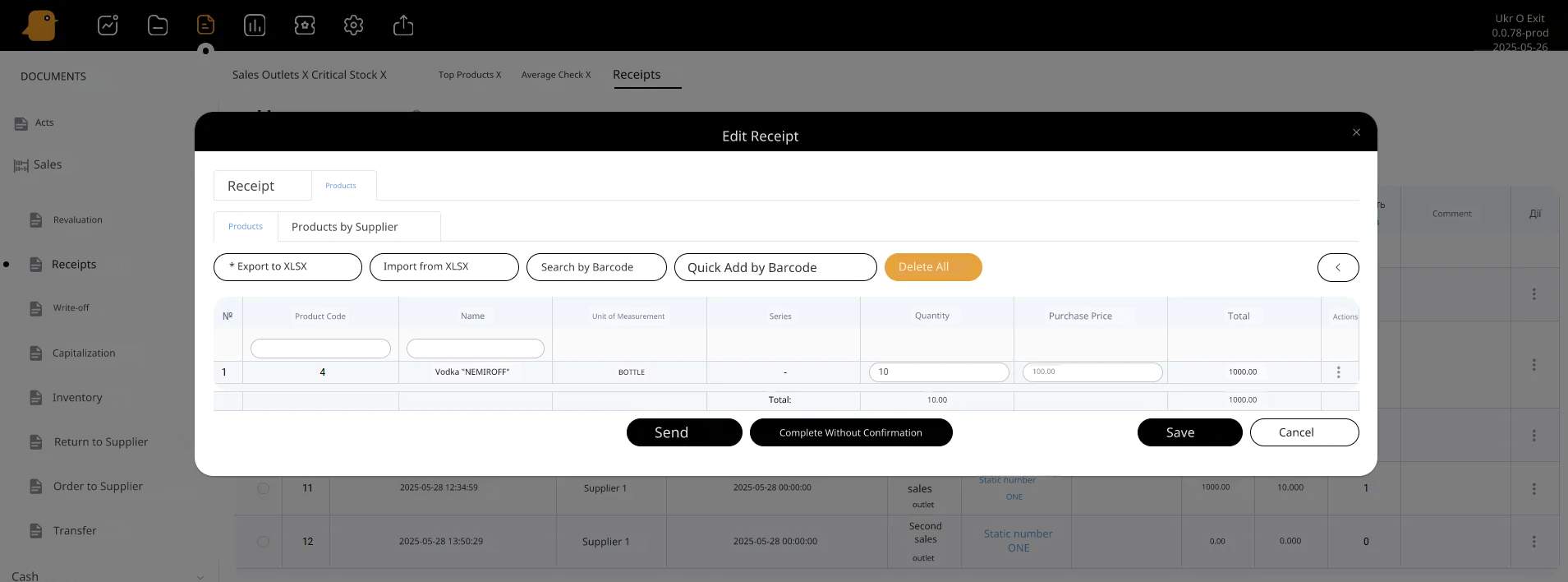
- What’s New: Critical bugs have been fixed, including:
– Validation of SKUs during upload.
– Auto-fill of the waybill number from the “Contract” field.
– Display of all errors in case of invalid data, not just the first one detected.
– Fixed data display when creating a document from the RMC.
- Changes: Updates have been made to ensure stable operation.
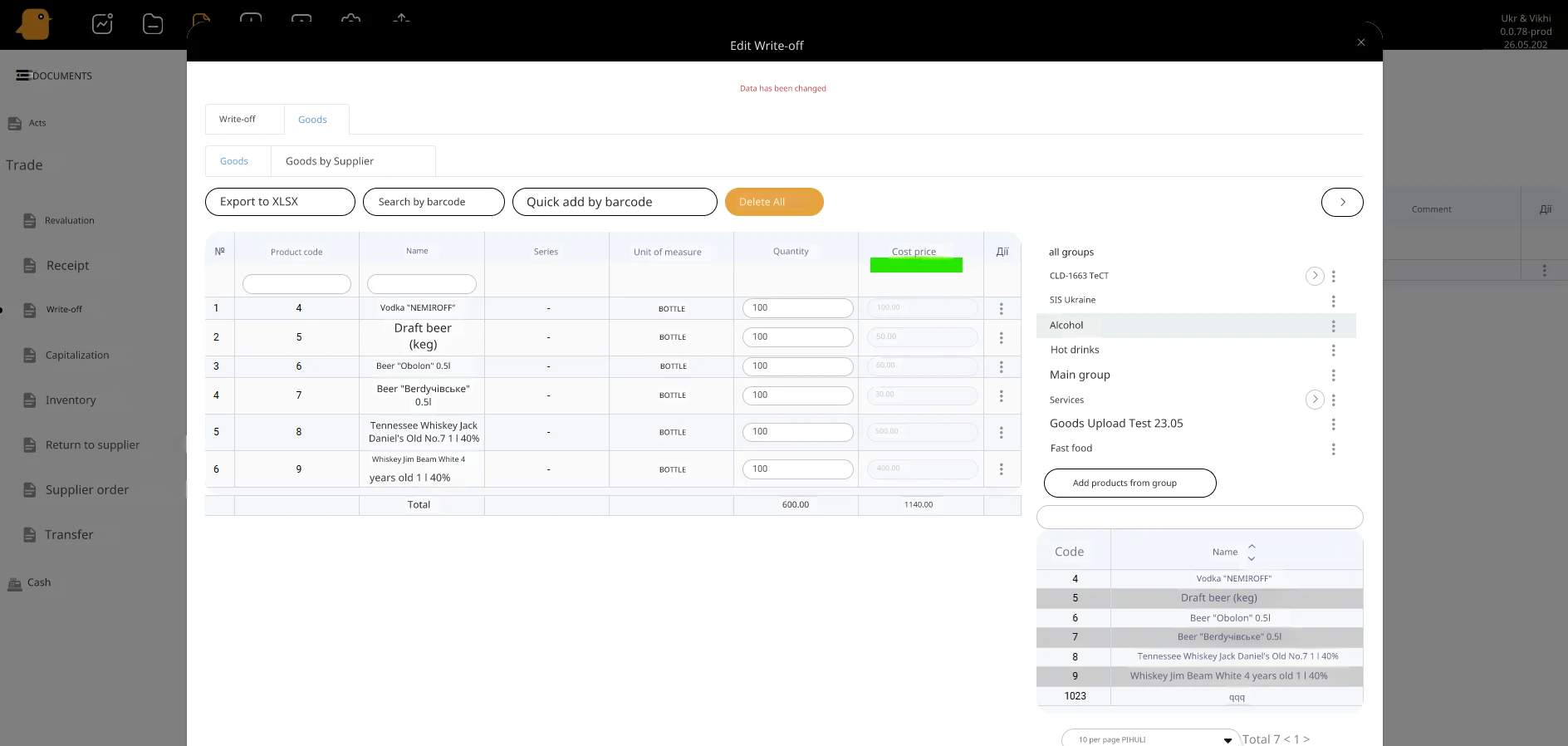
This new feature saves up to 70% of the time spent on routine tasks. Bulk price updates via Excel and automated invoice processing reduce the number of errors associated with manual data entry.
3. Technical improvements
- Improved sorting logic by workstation: sorting is automatically updated when filters are selected in reports.
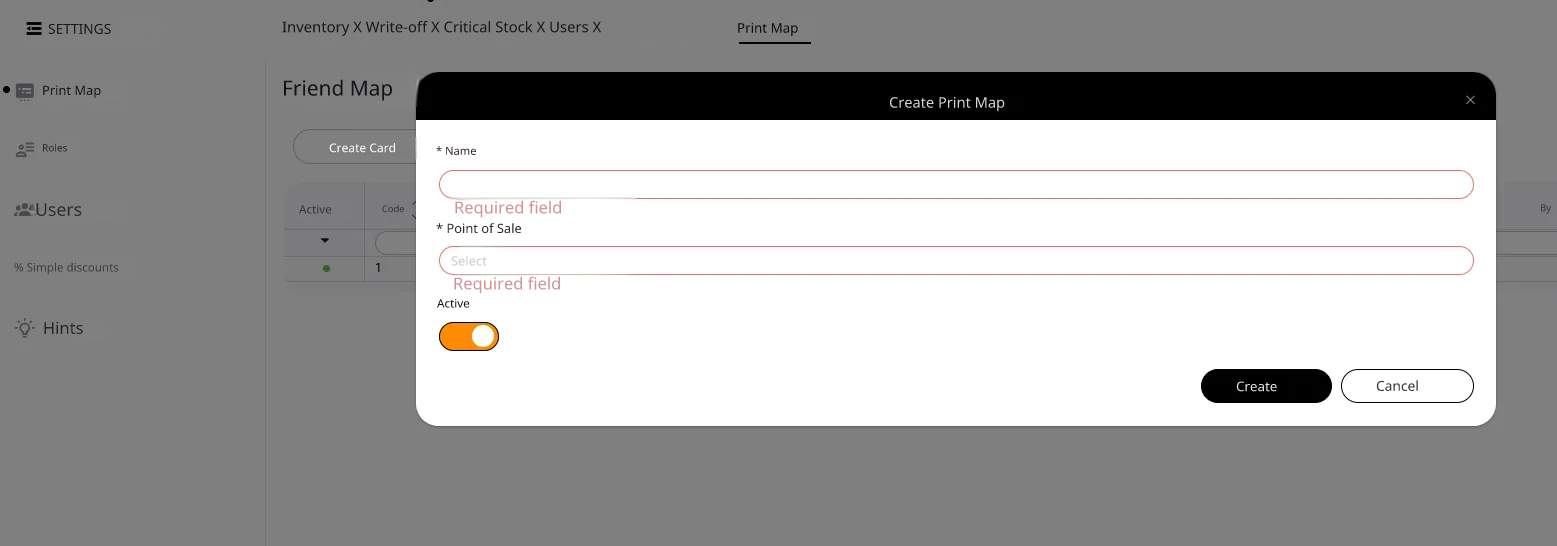
- Validation in the “Print Map”: the ‘Name’ and “Point of Sale” fields are checked for validity.
- Image functionality has been improved: you can now add photos to products, groups, customers, and customer groups.
- Minor UI/UX improvements: the screen dims while products are loading; pagination has been added; new columns have been added to the “Receipts” reports.
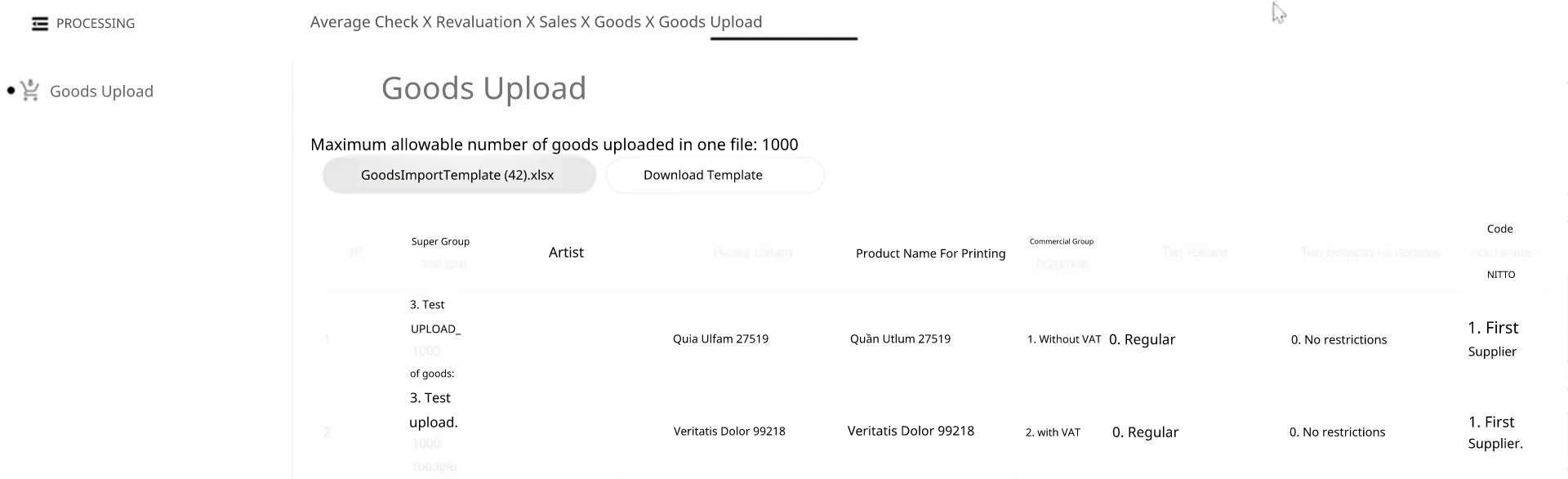 These changes improve system stability, reduce the number of errors, and make the interface even more user-friendly for everyday use.
4. Inventory: Reliability During Operation
- Fixed an issue with the “Inventory” (Partial) document: resolved errors that could prevent changes from being saved, which is particularly important when there are a large number of items.
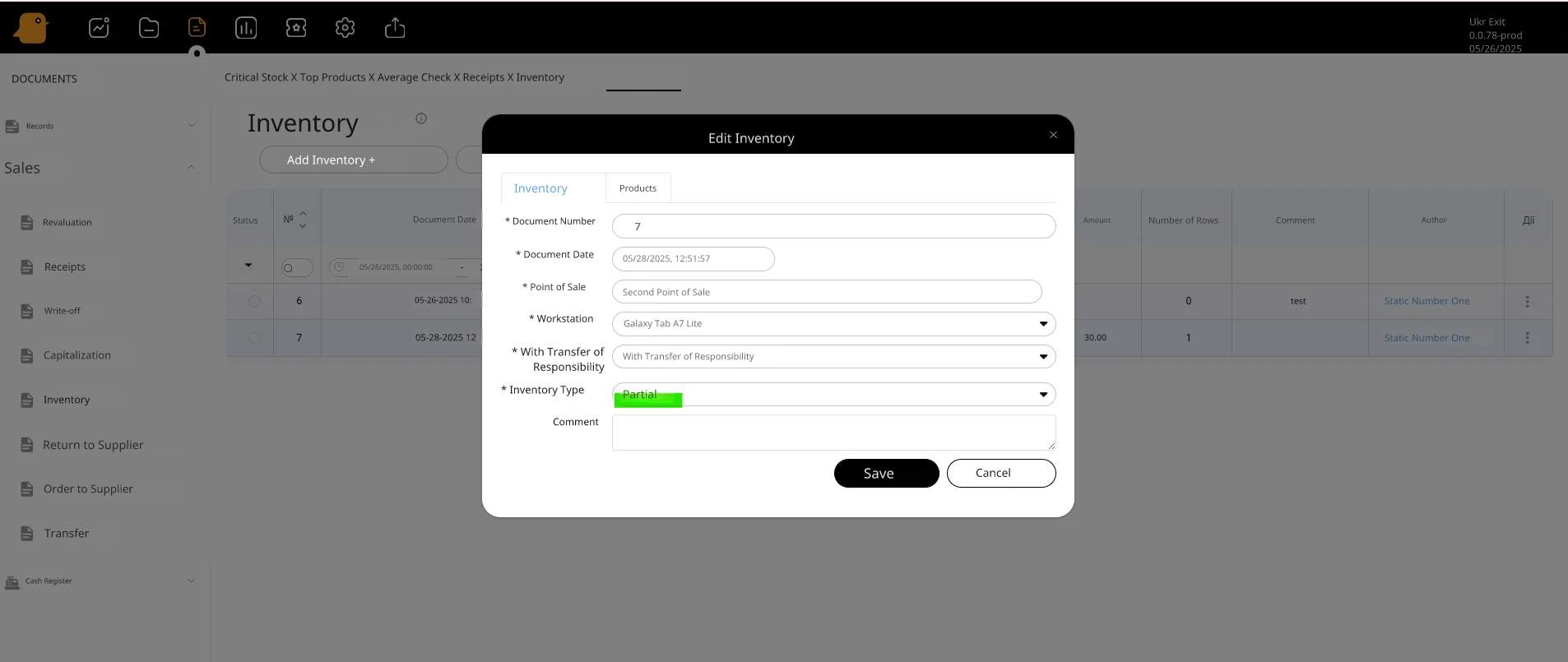
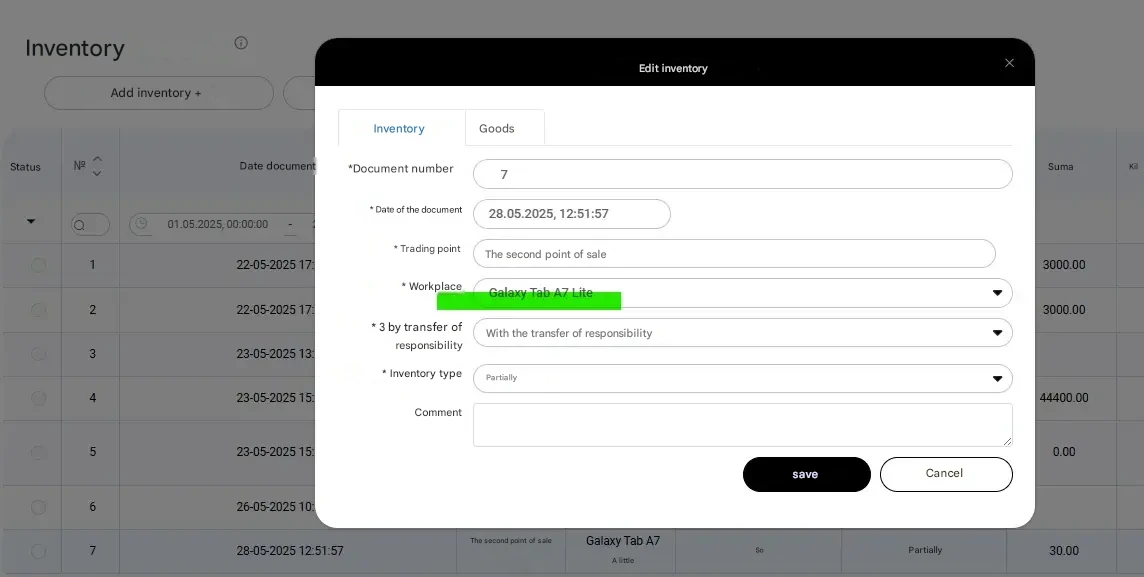
- Workstation: No longer disappears after editing the inventory—it now saves correctly.
- Displaying receipts from POS terminals: When creating a “Receipt” document from a cashier’s workstation, the data (quantity, amount) is now retrieved correctly.
- Sorting logic by POS terminal: If at least one POS terminal is selected in the filter, the “By workstation” sorting option is automatically enabled.
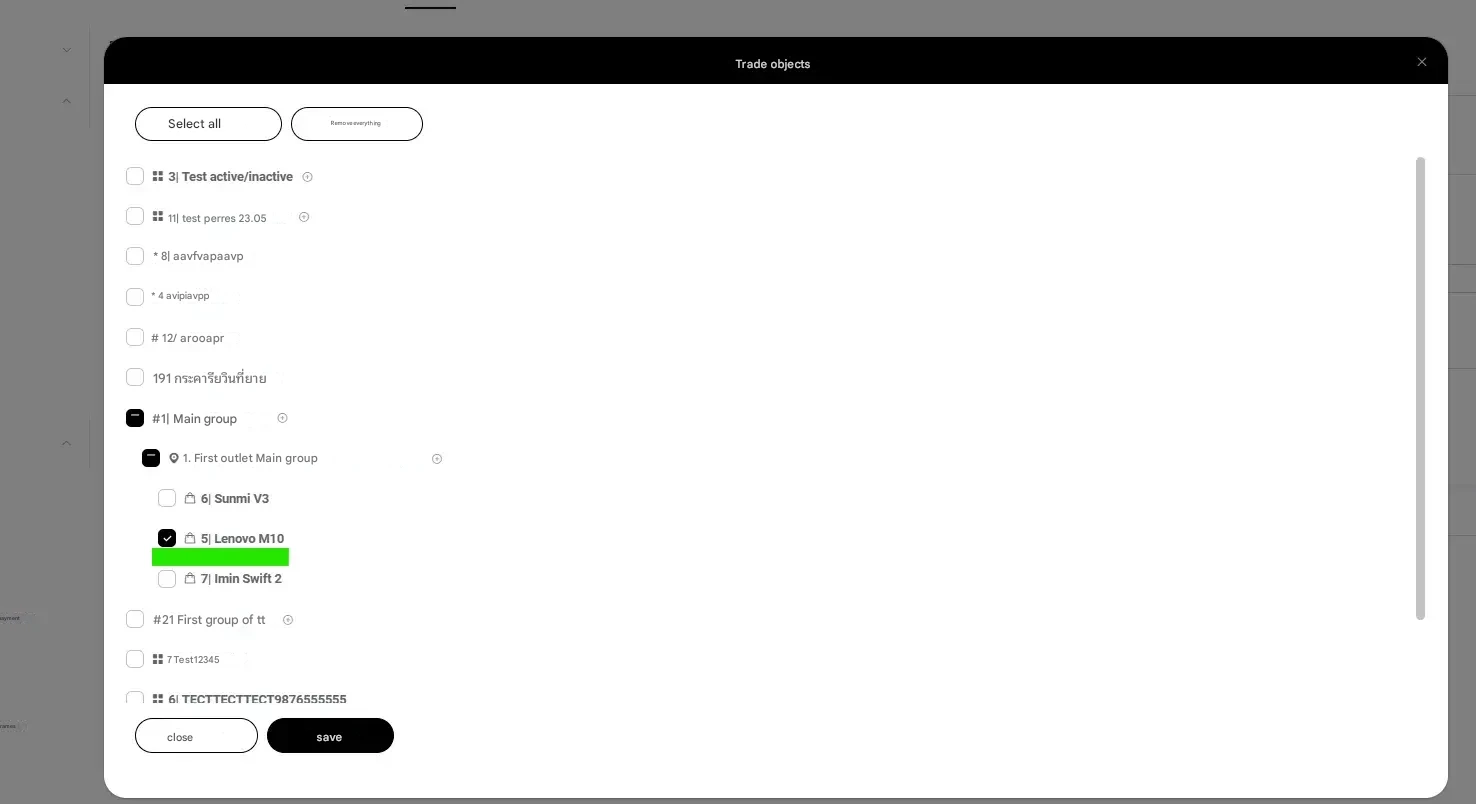 Thanks to these changes, the inventory process has become more reliable and better adapted to real-world operating conditions. The system accurately saves settings, interacts correctly with the POS system, and allows for the analysis of product movement by workstation. This is particularly useful for chains with multiple points of sale—managers can identify discrepancies more quickly and make decisions without disrupting the sales process.
5. Additional useful changes
- Working with images: You can now add images not only to products, but also to product groups, customers, and their categories. Supported formats: JPG, PNG, WEBP (up to 5 MB).
Visual elements help users find the items they need more quickly, make the interface easier for staff to understand, and improve data comprehension in large catalogs. This is particularly useful for stores with a wide range of products or for new employees.
Let's summarize
The PayKit update is a step toward a more intuitive and powerful system. New reports, improved document management, and a refreshed interface will help users save time and make informed decisions based on accurate data. If you haven’t checked out the update yet, now is the perfect time to try out the new features!